How I Replaced Google Photos with Immich on a Steam Deck
Why a Steam Deck?
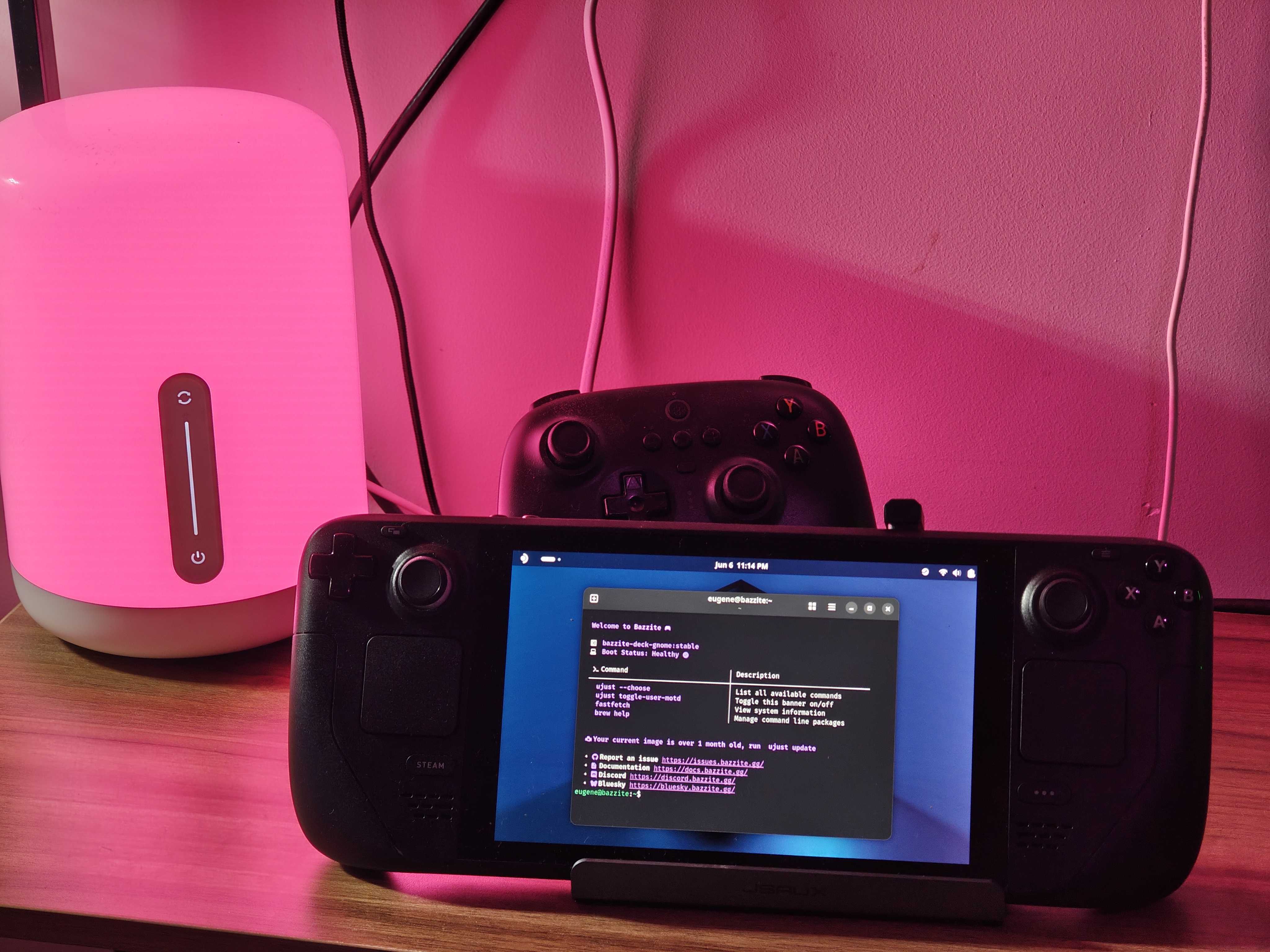
I had a Steam Deck collecting dust. Instead of selling it, I decided to turn it into a home server. It's small, silent, energy-efficient, and has a built-in battery (free UPS). Why not?
The goal: self-host Immich as a Google Photos replacement, accessible from outside my home via Cloudflare Tunnel.
The Problem with SteamOS
SteamOS has a read-only filesystem. This means:
pacmandoesn't work properly — PGP keys expire and can't be refreshed- You can't install Docker or any system packages permanently
- Every SteamOS update can wipe your changes
I wasted hours trying to work around this before accepting the truth: SteamOS is for gaming, not for servers.
Enter Bazzite
Bazzite is a Fedora-based Linux distro designed specifically for Steam Deck (and other gaming handhelds). It gives you:
- Full read-write filesystem —
dnfworks, packages persist - Gaming Mode — same Steam + Proton experience as SteamOS
- Desktop Mode — full KDE Plasma desktop
- Designed for the Steam Deck hardware — controllers, display, sleep/wake all work
Installing Bazzite
- Download Bazzite from bazzite.gg (pick the Steam Deck image)
- Flash to USB with Balena Etcher or
dd - Boot from USB (hold Volume Down + Power)
- Install — I chose no encryption, local account, root enabled
The whole process takes about 15 minutes.
Docker on Bazzite
Here's where it gets interesting. Bazzite comes with Podman, but I ran into DNS resolution issues — containers couldn't find each other by hostname. Docker handles container networking better, so I switched.
Installing Docker via Homebrew
Bazzite comes with Homebrew pre-installed, which makes adding packages easy:
brew install docker docker-compose
The vfs Storage Driver Fix
After installing Docker, every container failed with a cryptic error:
runc create failed: invalid rootfs: not an absolute path, or a symlink
Even docker run hello-world crashed. The fix: change the storage driver to vfs:
mkdir -p ~/.config/docker
echo '{"storage-driver": "vfs"}' > ~/.config/docker/daemon.json
systemctl --user restart docker
vfs is slower than overlayfs but it works reliably on Bazzite's filesystem. Why? Bazzite uses an ostree/composefs filesystem that doesn't support the default overlay2 driver for rootless Docker. The runc process can't resolve the layered rootfs path, so it fails on every container — even hello-world. vfs bypasses this entirely by just copying files instead of layering them.
Update (June 2026): vfs works but wastes a lot of disk space — every image layer is a full copy with no copy-on-write. My Docker storage grew to 95GB. It turns out fuse-overlayfs does work on Bazzite despite the ostree filesystem — I just needed to specify it explicitly:
echo '{"storage-driver": "fuse-overlayfs"}' > ~/.config/docker/daemon.json
systemctl --user restart docker
After switching from vfs to fuse-overlayfs, Docker storage dropped from 95GB to 16GB. All containers work fine. fuse-overlayfs is ~10-15% slower than kernel overlayfs due to FUSE overhead, but for a home server running containers (not constantly building images) the difference is imperceptible. Use fuse-overlayfs instead of vfs — the disk savings are massive.
Setting Up Immich
Immich is an open-source, self-hosted Google Photos alternative. It has face recognition, search, mobile backup, and a beautiful UI.
Storage Setup
I added a microSD card for photo storage:
# Find the SD card
lsblk

# Format as ext4 (use KDE Partition Manager for GUI)
sudo mkfs.ext4 /dev/mmcblk0p1

# Create mount point and add to fstab
sudo mkdir /mnt/sdcard
echo "UUID=$(blkid -s UUID -o value /dev/mmcblk0p1) /mnt/sdcard ext4 defaults 0 2" | sudo tee -a /etc/fstab
sudo mount -a
Docker Compose
mkdir ~/immich && cd ~/immich

# Download official compose file
curl -o docker-compose.yml https://github.com/immich-app/immich/releases/latest/download/docker-compose.yml
curl -o .env https://github.com/immich-app/immich/releases/latest/download/example.env
Edit .env:
UPLOAD_LOCATION=/mnt/sdcard/immich
DB_DATA_LOCATION=/home/eugene/immich/postgres  # use absolute path!
TZ=Europe/Warsaw
DB_PASSWORD=your_secure_password
Important: Use an absolute path for
DB_DATA_LOCATION, not a relative one like./postgres. Relative paths caused issues with Docker on Bazzite.
docker compose up -d
Immich is now running at http://localhost:2283.
Importing 29,000+ Photos from Google Photos
Google Takeout gives you a zip file with all your photos, but the metadata (dates, locations) is stored in separate JSON sidecar files. Immich can't import these directly.
immich-go solves this — it reads Google Takeout exports and uploads photos to Immich with correct metadata:
# Download immich-go
curl -LO https://github.com/simulot/immich-go/releases/latest/download/immich-go_Linux_x86_64.tar.gz
tar xzf immich-go_Linux_x86_64.tar.gz

# Import (point to your extracted Takeout folder)
./immich-go -server http://localhost:2283 -key YOUR_API_KEY upload google-photos /path/to/takeout/
This took several hours for 29,000+ photos, but every photo kept its original date, GPS data, and album structure.
Cloudflare Tunnel — Access From Anywhere
The Steam Deck is behind a home router with no static IP (and possibly double NAT). Cloudflare Tunnel solves this — it creates an outbound connection from your server to Cloudflare, no port forwarding needed.
Setup
brew install cloudflared

# Authenticate
cloudflared tunnel login

# Create tunnel
cloudflared tunnel create immich

# Configure
cat > ~/.cloudflared/config.yml << 'EOF'
tunnel: YOUR_TUNNEL_ID
credentials-file: /home/eugene/.cloudflared/YOUR_TUNNEL_ID.json

ingress:
  - hostname: photos.yourdomain.com
    service: http://localhost:2283
  - service: http_status:404
EOF

# Add DNS record
cloudflared tunnel route dns immich photos.yourdomain.com
Autostart with systemd
cat > ~/.config/systemd/user/cloudflared.service << 'EOF'
[Unit]
Description=Cloudflare Tunnel
After=network.target

[Service]
Type=simple
ExecStart=/home/linuxbrew/.linuxbrew/opt/cloudflared/bin/cloudflared tunnel run immich
Restart=on-failure
RestartSec=10

[Install]
WantedBy=default.target
EOF

systemctl --user enable cloudflared
systemctl --user start cloudflared
Now photos.yourdomain.com serves your Immich instance from the Steam Deck.
Preventing Sleep
A server shouldn't sleep. Disable it:
sudo systemctl mask sleep.target suspend.target hibernate.target hybrid-sleep.target
gsettings set org.gnome.settings-daemon.plugins.power sleep-inactive-ac-type 'nothing'
Was It Worth It?
Absolutely. Total cost: $0 (I already had the Steam Deck and a domain). I now have:
- A Google Photos replacement with 29,000+ photos, face recognition, and mobile backup
- A personal portfolio hosted on my own hardware
- A Telegram bot for automation
- Full control over my data
The Steam Deck draws about 5-10W while serving all this — less than a light bulb.
Tips and Gotchas
- Use Bazzite, not SteamOS — save yourself hours of fighting read-only filesystems
- Docker via Homebrew, not rpm-ostree — cleaner install, easier updates
fuse-overlayfsstorage driver — use this instead ofvfsto save ~80GB of disk space- Absolute paths in
.env— relative paths break with Docker rootless - Cloudflare Tunnel > port forwarding — works with any ISP, any NAT setup
- immich-go for Google Takeout — the only tool that preserves all metadata correctly
- Disable sleep — both systemd targets and GNOME settings
Have questions? Reach me at me@eugenelab.org or on LinkedIn.